

iOS 13 Beta 5! 150+ New Features & Changes
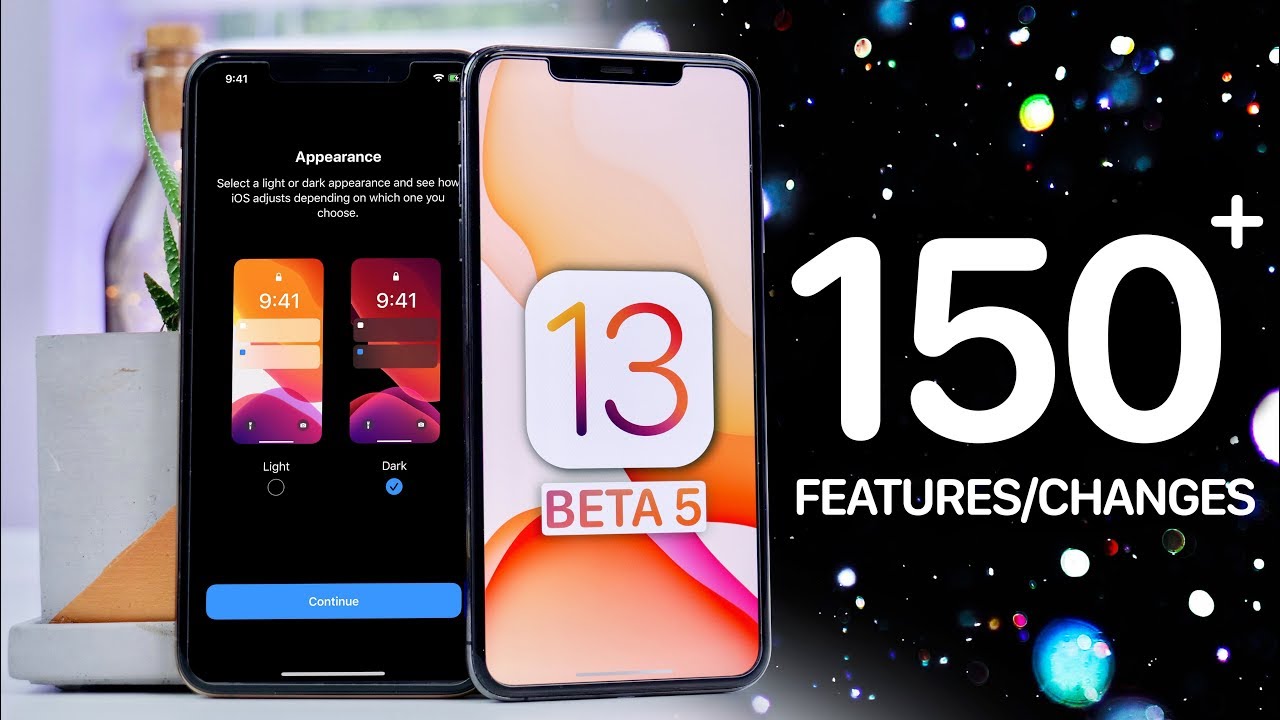

Apple just quietly rewired more than 150 things in iOS 13, and almost nobody noticed until now.
Apple pushed out the fifth developer beta of iOS 13 and iPadOS on July 29, 2019, with public beta builds following soon after. Tech creator EverythingApplePro (EAP) tore through build 17A5572a and documented more than 150 individual changes, tweaks, and interface refinements packed into what is supposed to be a late-stage beta. It’s the kind of granular, screen-by-screen breakdown that turns a routine developer update into a genuine preview of what ships on iPhones and iPads this fall.
- iPadOS now lets users choose between two home screen icon densities — a “More” 6×5 grid and a “Bigger” 4×4 grid — giving iPad owners direct control over layout for the first time.
- The Share Sheet was overhauled with grouped action sections and a dedicated Shortcuts row, while the volume HUD jumped from 16 steps to 34 for finer control, now paired with haptic feedback.
- New privacy toggles were added specifically for Bluetooth access and Wi-Fi network location tracking, on top of redesigned splash screens in Photos and the App Store and a refreshed 4G/LTE status bar glyph.
The iPad Home Screen Finally Gets a Choice
The headline iPadOS change in Beta 5 is icon density control on the home screen. Users can now pick between “More,” which packs a 6×5 grid onto the screen, and “Bigger,” which drops to a roomier 4×4 layout. It’s a small toggle buried in Settings, but it’s the first time Apple has given iPad owners any real say over how dense their home screen looks — something iPhone users still don’t get.
Paired with that is an updated Move app interface, part of Apple’s ongoing cleanup of how files and folders behave across iPadOS. Between the grid options and the Move refresh, Beta 5 leans into the idea that the iPad is finally being treated as its own platform rather than a stretched iPhone.
Share Sheet and Volume HUD Get Structural Rebuilds
The Share Sheet in Beta 5 isn’t just re-skinned — it’s reorganized. Actions are now grouped into distinct sections, and Shortcuts get their own dedicated row instead of being buried in a scrollable row of app icons. It’s a layout change aimed at cutting down the hunt-and-peck feel of sharing a photo or link on past iOS versions.
The volume HUD saw arguably the most technical jump of the update: Apple expanded it from 16 discrete steps to 34, giving far more granular control over volume adjustments, and tied each step to a new haptic tap. EAP’s walkthrough frames it as one of those changes that’s easy to miss in a screenshot but immediately noticeable the first time you press the physical volume button.
Volume control jumped from 16 steps to 34 — double the granularity, now with a haptic click on every notch.
Privacy Permissions Expand Again
Apple used Beta 5 to add two more system-level privacy toggles: one specifically for Bluetooth access and another for Wi-Fi network location tracking. Both sit alongside the broader privacy push iOS 13 has been building toward all summer, forcing apps to explicitly ask before they can use Bluetooth peripherals or infer location data from nearby Wi-Fi networks.
These additions matter because they close off two of the quieter ways apps have historically tracked users without a location-services prompt ever appearing. Beta 5 makes both permissions visible and toggleable, giving users another layer of control before an app can even attempt the request.
Cosmetic Polish Across the System
Beyond the structural changes, Beta 5 is loaded with the kind of cosmetic detail that only shows up when someone screen-records every menu. Default apps like Photos and the App Store got redesigned splash screens, the 4G/LTE glyph in the status bar was refreshed, and 3D Touch and Haptic Touch action menus were refined for smoother transitions. Dark Mode also picked up refined controls and transition animations, while CarPlay’s album art display was updated for a cleaner now-playing view.
It’s the sheer accumulation of these details — dozens of small icon, animation, and menu tweaks — that pushed EAP’s tally past 150 changes in a single beta. Breakdown videos like this one sit in the same tradition of frame-by-frame coverage InfoSearched has given to major game reveals, from the Apex Legends: Defiance gameplay trailer to the Destiny 2: The Witch Queen weapons and gear breakdown, where every frame gets picked apart for what’s new.
With Beta 5 out the door on July 29, the pattern from past iOS cycles points to one or two more developer betas before Apple locks the Golden Master ahead of the fall iPhone event — meaning anyone still spotting new icons or menu shuffles in Beta 6 shouldn’t expect the pace of change to slow down much before September.









Taylor Swift Needs To Stop Playing The Victim (20 Quick Facts About Taylor Swift)
10 Celebrities You Won’t Even Recognize In Their Yearbook Pictures
CREATING the Polar Peak MONSTER with Clay!! (Fortnite Battle Royale) – Polymer Clay Tutorial
How Did A Whole Village Disappear? (The Lost Colony of Roanoke Mystery)
Scuba Diving Underneath Military Base and You Won’t Believe What I Found! (Restricted Zone)